 Download
Safer Screentime
Free parental controls. No catch.
Block adult content, limit screen time, and control apps. No VPN. No tracking. No subscription.
Why Safer?
Privacy-first
Built on Apple's Screentime API with no invasive proxies. Safer never sees your web or app activity data.
Smart
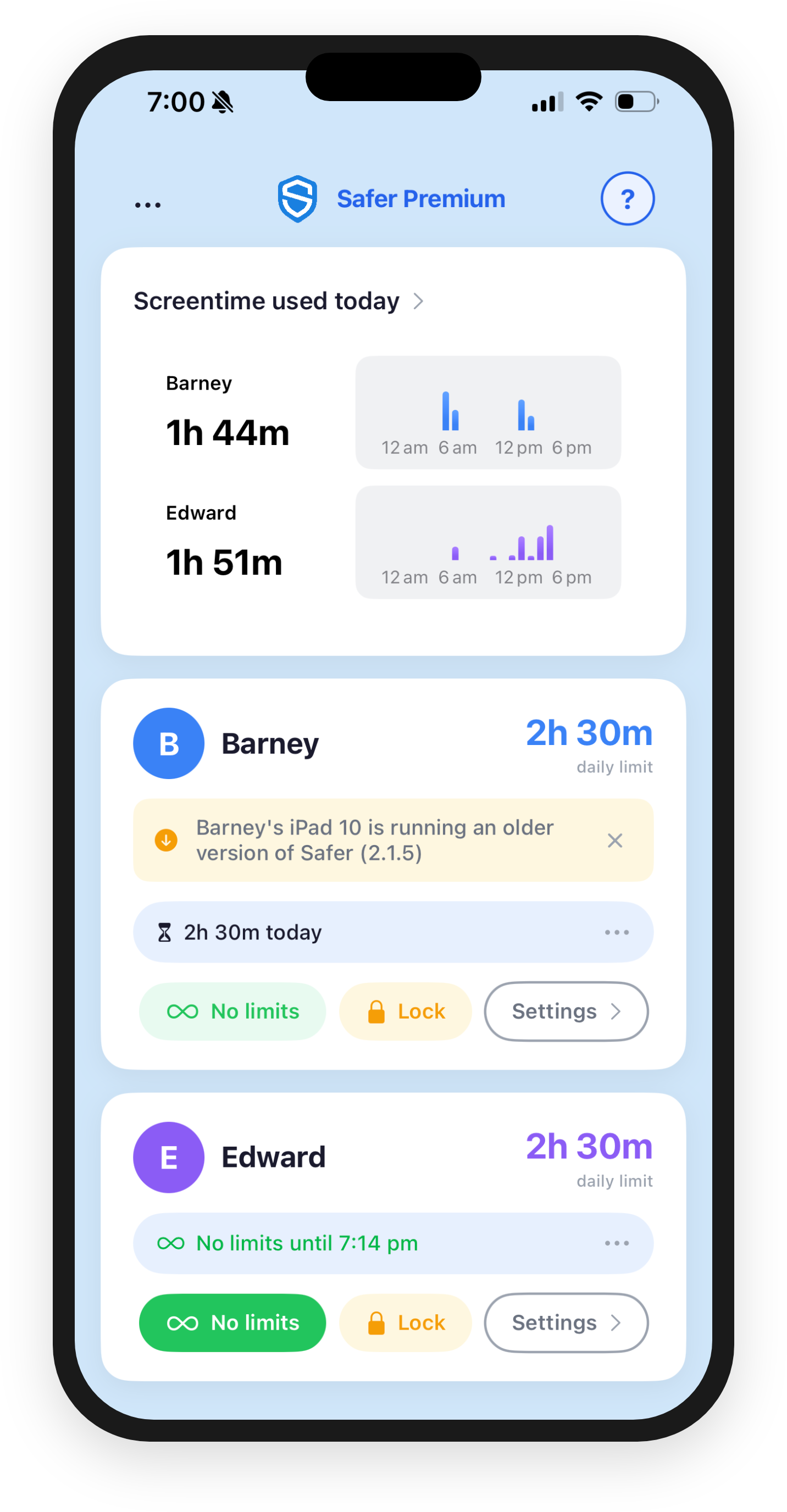
Screentime reports give you insights and Safer's features let you set healthy boundaries. Real-time updates, instant blocking, and dependable limits.
Completely Free
No subscription. No hidden fees. Professional parental controls that every family can afford.
See it in action
Simple settings protect your children from distractions during school
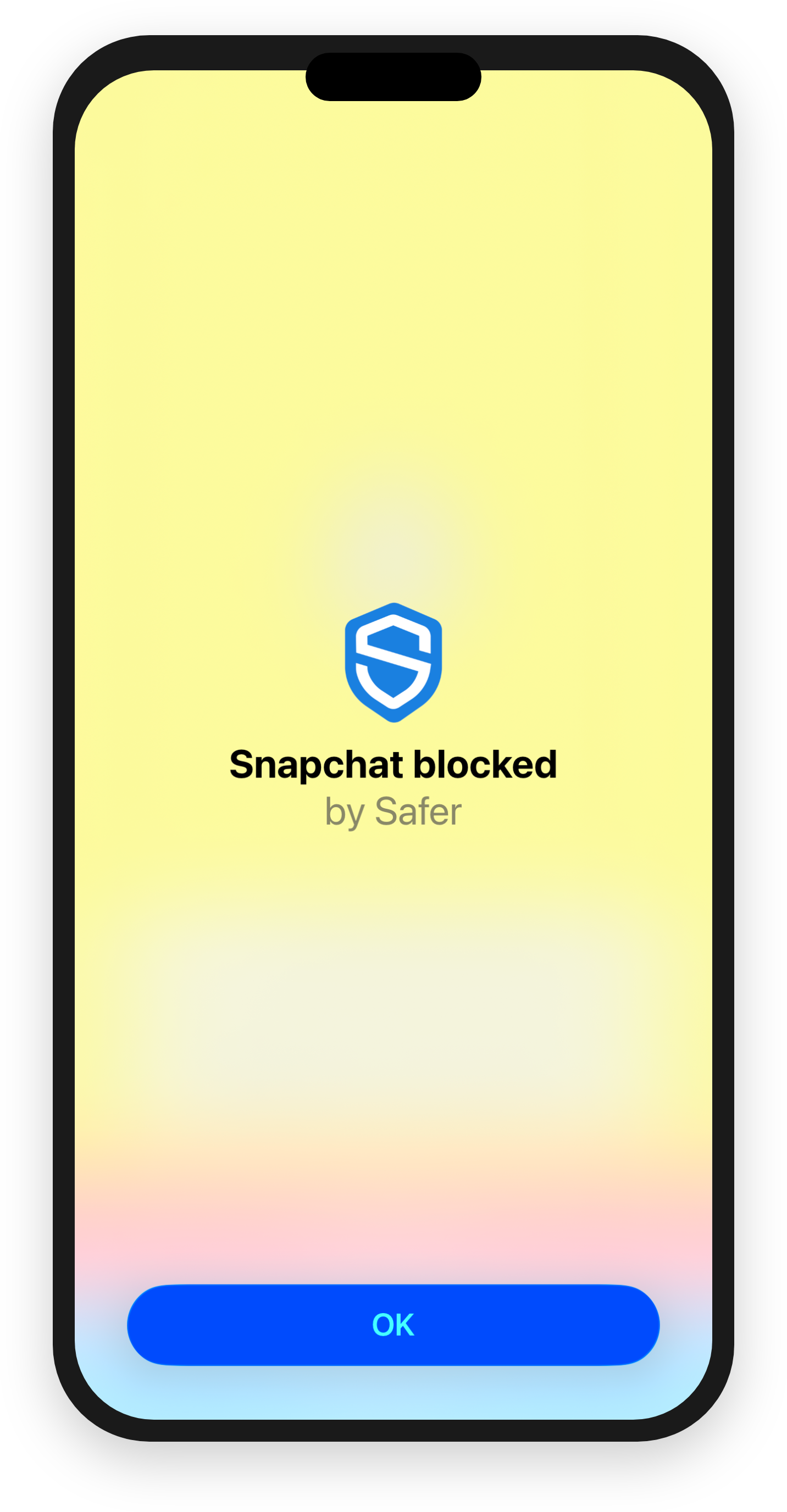
Block and unblock child apps in real-time
Take immediate control from anywhere, when you need it most. Block or unblock apps instantly on all your child's devices — changes take effect within seconds.
Use it to block distractions when needed, or unblock apps as a reward.
Control social media your way
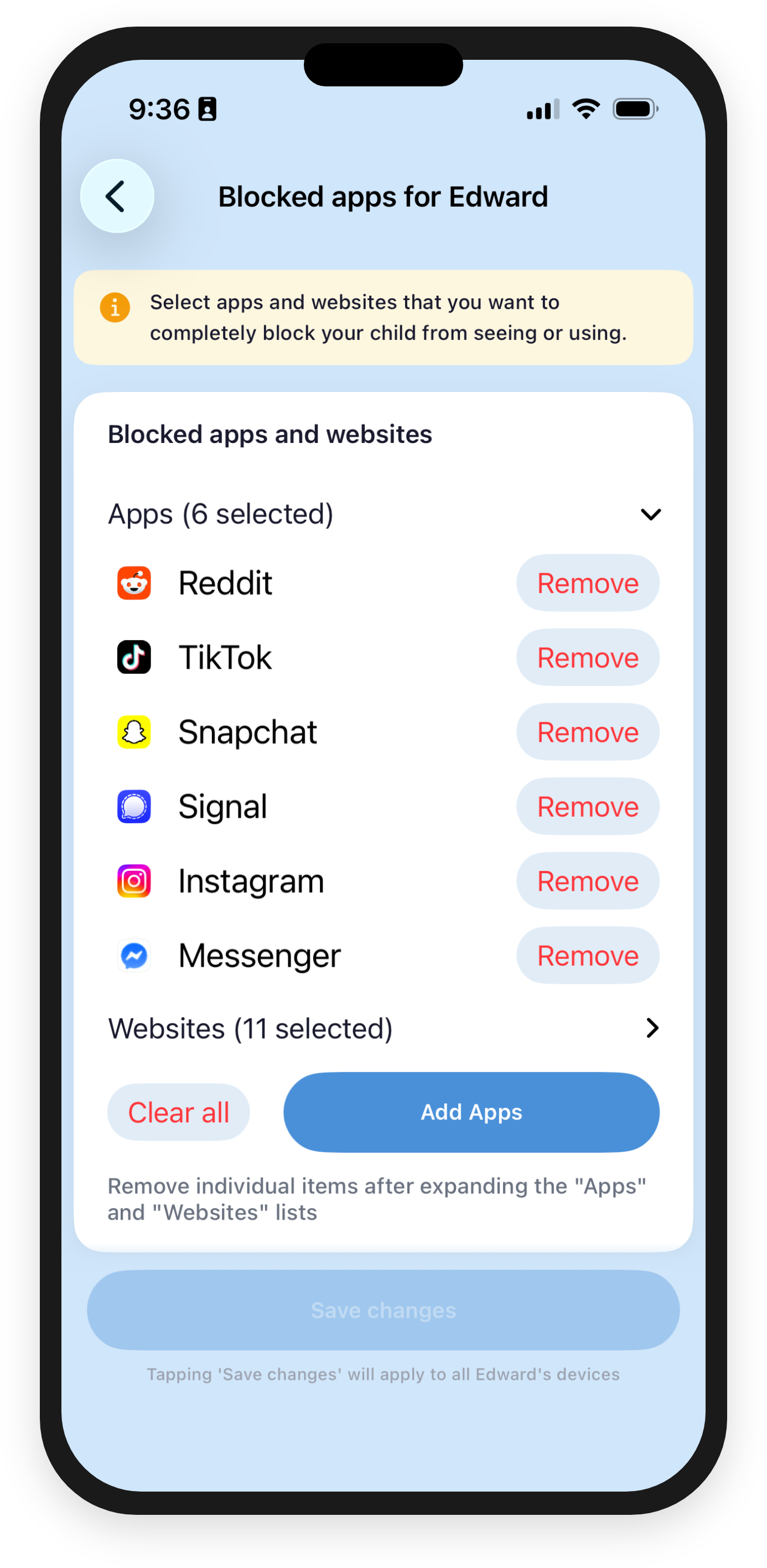
Flexible rules that let you manage social media on your terms. Time-limit individual apps, block them entirely, or restrict whole categories during certain hours.
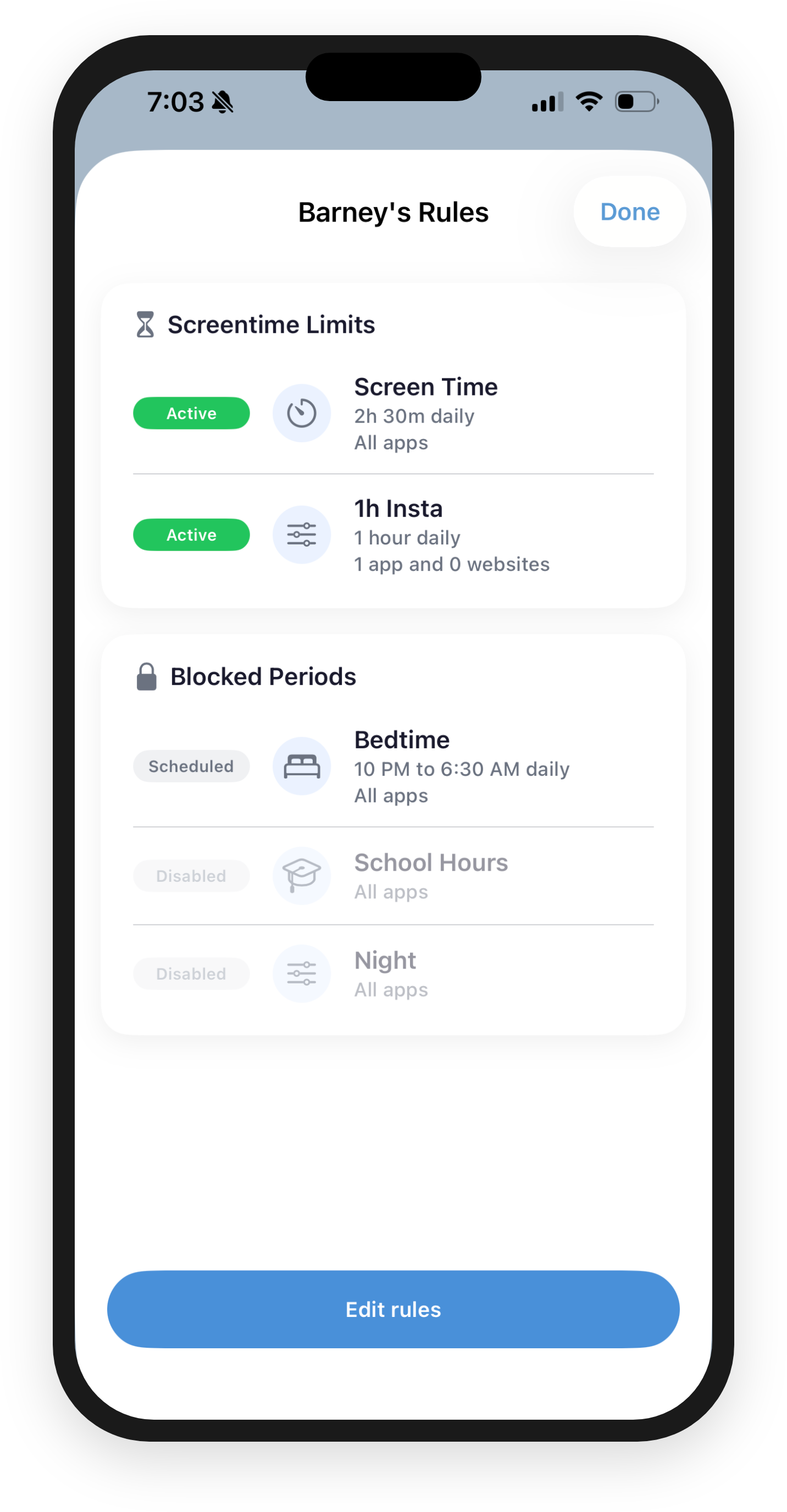
- Set daily time limits per app — e.g. 1 hour for TikTok, 1 hour for Instagram
- Block apps completely — no access at all
- Schedule restrictions by time of day — e.g. block social media on school days
Set smart limits that work
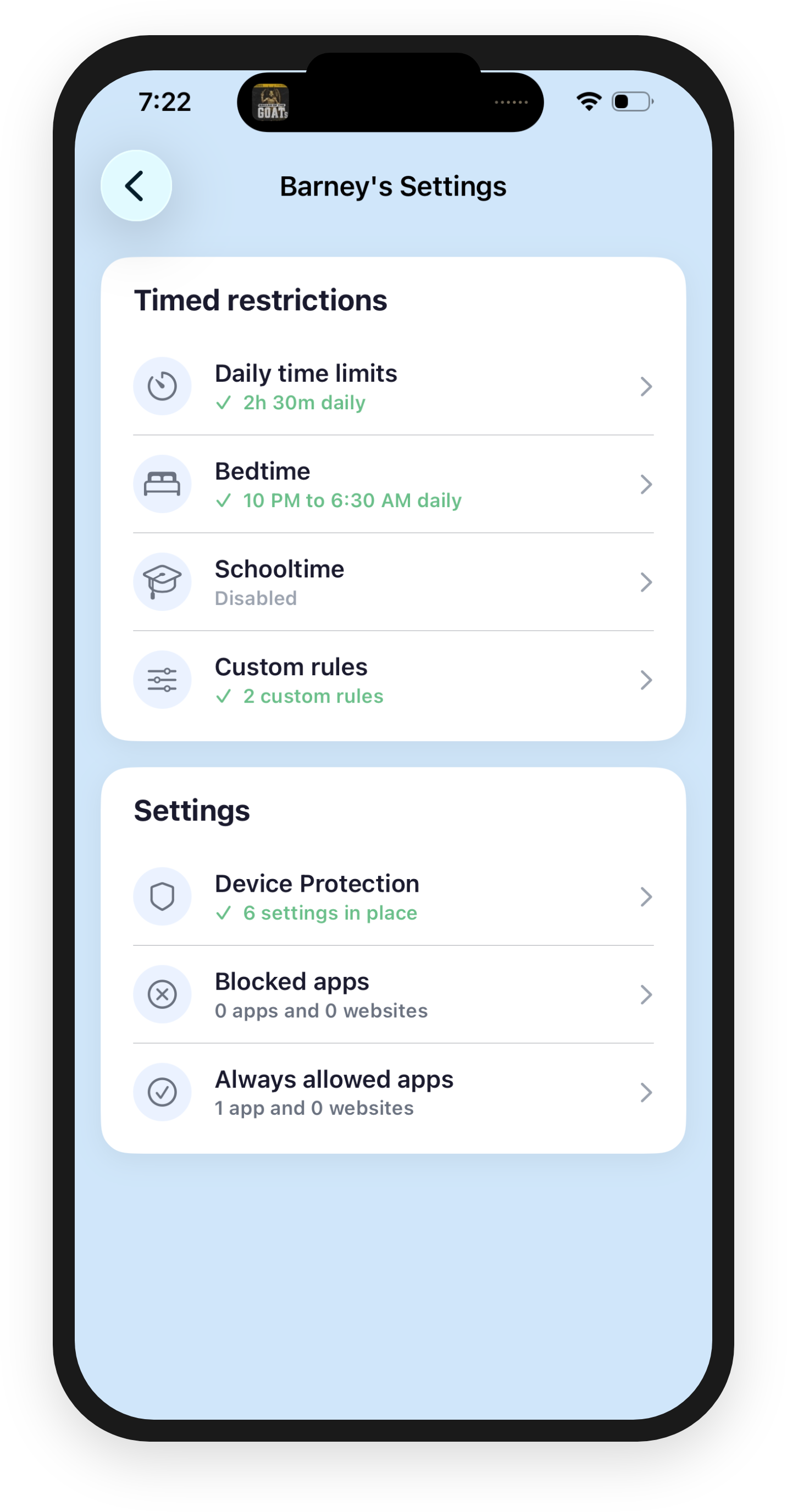
Set daily time limits, block all apps overnight, and enforce school hours automatically. No temptations.
Downtime kicks in for sleep and homework. School time restrictions keep them focused during class. You set the schedule once and Safer handles the rest.
Detailed settings for each child
Every child gets their own profile with individual time limits, downtime, school time, and app restrictions. Different rules for different ages.
Block adult content and websites, and mark specific apps as always allowed so the important stuff is never blocked.
Detailed reports and insights
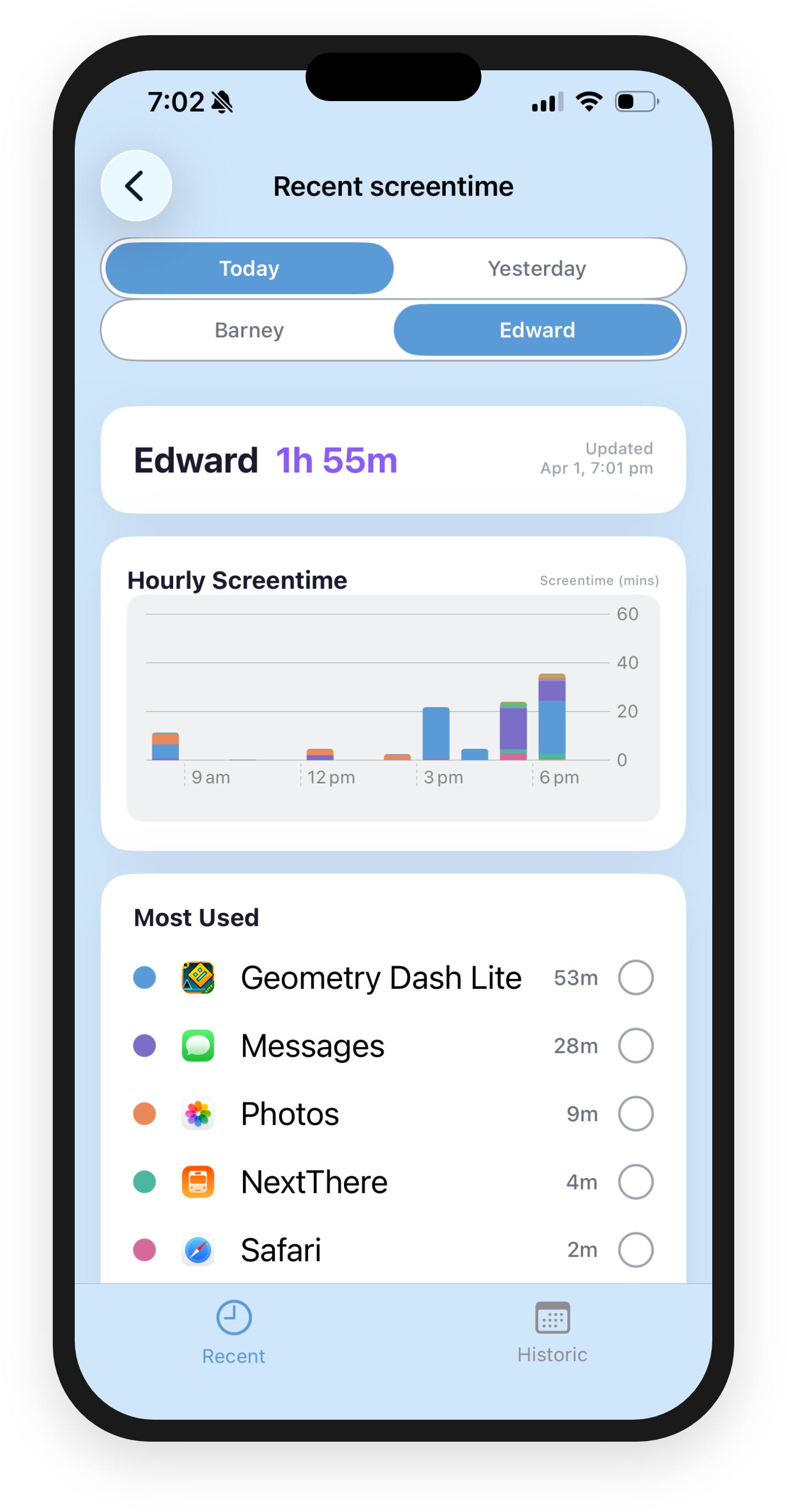
Understand your child's digital habits with detailed reports. See which apps they use most, how usage breaks down hour by hour, and how trends change over time.
Daily and weekly views help you spot patterns and have informed conversations about screen time.
Get started in minutes
Three simple steps to protect your family
Install on both devices
Download Safer on your iPhone and your child's iPhone or iPad. It's free on the App Store.
Sign in
Create a Safer account, sign in with the Apple ID in your Family Sharing group, and you're connected.
Set rules from your phone
Set time limits, downtime schedules, and app restrictions. Changes take effect in seconds.
Trusted by parents
See what parents are saying about how Safer Screentime has helped their families
Sarah
Mum of 2 (ages 8, 12)
"Finally, a screen time app that actually works! No more battles at bedtime. My kids know when their time is up, and the app handles it automatically."
Cam
Dad of 2 (ages 13, 16)
"Two weeks after installing Safer on my daughter's iPhone she had finished her first book in years. Love it."
Lisa
Mum of 1 (age 10)
"I love the ability to block all apps during schooltime. With no temptation my daughter is focusing better in class and talking to her friends more at recess."
How Safer compares
Professional parental controls without the professional price tag
| Safer | Qustodio | Bark | OurPact | |
|---|---|---|---|---|
| Price | Free | From $54.95/yr | From $49/yr | From $69.99/yr |
| Technology | Apple-native | MDM/VPN | MDM | MDM |
| Privacy | Data stays on device | Routes traffic | Scans messages | Routes traffic |
Why is Safer free?
Safer is built by a parent, not a corporation. No venture capital, no investors to pay back, no reason to monetise your data.
Most parental control apps charge $50-100/year and make extra money by routing your child's internet traffic through their servers. Safer doesn't do either of those things.
Every family deserves access to tools that keep their kids safe online. Price shouldn't be a barrier.
Frequently asked questions
Everything you need to know about Safer Screentime
Do I need to install the app on my child's device?
Yes, Safer Screentime needs to be installed on both the parent's device and each child's device. This allows for real-time monitoring and immediate enforcement of screen time rules. Most parents get everything working within 10-15 minutes.
Can my kids bypass the screen time limits?
No, Safer has been battle-tested with digital native kids and over time it has been hardened so they cannot bypass it. For example, kids cannot uninstall Safer from their devices as it is protected by Apple's built-in Screen Time technology.
What age ranges work best with this app?
Safer Screentime works well for kids of all ages who have their own iPhone or iPad (or both!). It's particularly effective for ages 6-16, as you can customize settings based on maturity level. Younger kids benefit from simple time limits, while teenagers can have more flexible scheduling.
Is my family's data private and secure?
Absolutely. Safer is fundamentally different from other parental control apps:
- No proxies: Unlike competitors, we don't route your child's internet traffic through our servers
- Apple's technology: We use Apple's Screen Time framework, which is designed to protect privacy
- We literally can't see: The framework doesn't allow us to access your child's browsing history, search queries, or online activity
- Data stays local: Your family's usage data stays on your devices, managed by Apple
- No selling, no sharing: We never sell or share personal information
Other apps use proxies to monitor everything. Safer uses Apple's privacy-first approach. You get protection without surveillance.
How much does Safer Screentime cost?
Safer is completely free. No subscription, no in-app purchases, no hidden fees. Most parental control apps charge $50-100 per year. We believe every family should have access to effective parental controls regardless of budget.
What does Safer do?
Safer does two main things:
1) When time limits are reached, apps are automatically restricted.
2) Safer lets you choose settings that can protect your kids from harm, including preventing the installation of new apps and blocking adult websites.
What devices and iOS versions are supported?
Safer requires iOS 16 or later on both the parent and child devices. It works on any iPhone or iPad that supports iOS 16, including iPhone 8 and later. Both devices must be part of the same Apple Family Sharing group.
Ready to take control?
Join parents who trust Safer Screentime to keep their children safer online
Download on the App Store