 Download
Sign your child's iPhone or iPad in to their Apple Account
Use this page if your child's iPhone or iPad needs to be signed in to their own child Apple Account for Screen Time.
Your child's Apple Account has to be in your Family Sharing group first. If it isn't, start with create a child Apple Account or add an existing account.
-
On your child's iPhone or iPad
Open Settings and look at the very top of the list. If it shows "Apple Account", asking you to sign in, tap it and sign in with your child's Apple Account.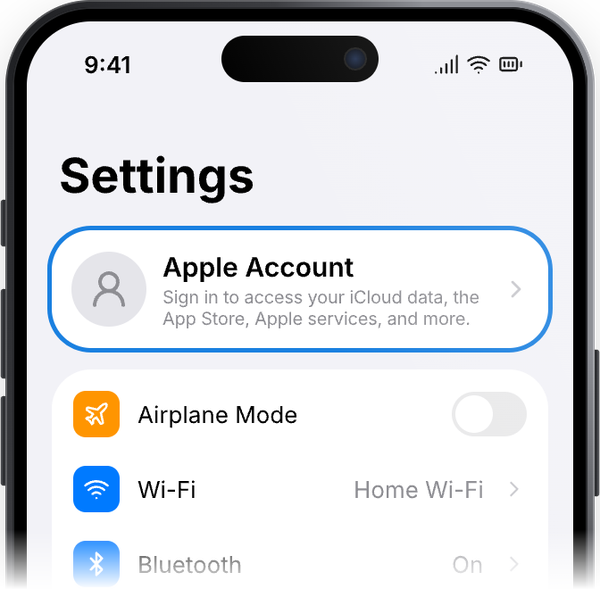
-
On your iPhone
Open Settings, tap Family, and check your child is listed. -
On your child's iPhone or iPad
If you were turning on Screen Time, or an app asked for it, go back and try again.
If Settings already shows a name
- Your name, or another adult's:
your child's device is signed in with a parent's account. See my child's phone is signed in with my parent Apple Account. You'll sign out first, then come back here. - Your child's name:
it's already signed in to their own account. If Screen Time still won't turn on, see Screen Time won't turn on for my child's iPhone.
 The Safer Screentime app checks the screentime setup on your phone (parent or child) and guides you through the steps to fix any issues.